
Try posting on the board | A first-post guide
Aggiornato: 2026-10-28
The Maybe It Fig board is where you post photos of your own fig and ask other growers: "What variety is this?" or "Why isn't it growing well?" This guide walks you through your first post, one step at a time, using screenshots of the actual screens.
Before you post: how this board works
- One photo is enough to post. You don't need to have everything.
- You don't need to be sure of the variety name. "Maybe it's ..." or "No idea" is a fine place to start.
- Here, "Maybe" is the whole point. Your uncertain record becomes a clue for the next person who gets stuck on the same variety.
Five shots that speed things up
When people try to narrow down a variety, these are usually the five things they want to see. You can post without all of them, but the more you have, the more specific the replies get.
- Both sides of a leaf: how deep and how many lobes, and how fuzzy the underside is
- The outside of the fruit: skin color and shape when ripe
- A cross-section: the fruit cut in half top to bottom (pulp color is often a useful clue)
- A branch: the color of new growth and where the leaves attach
- The whole tree: how it branches out and how big it is
Shooting leaves and fruit against a sheet of white paper makes color and shape easier to read. Put a ruler or a coin next to them so people can tell the size.
Figs drop their leaves when they go dormant in winter. Leaves are one of the clues to the variety, so if your tree still has them, photograph both sides now.
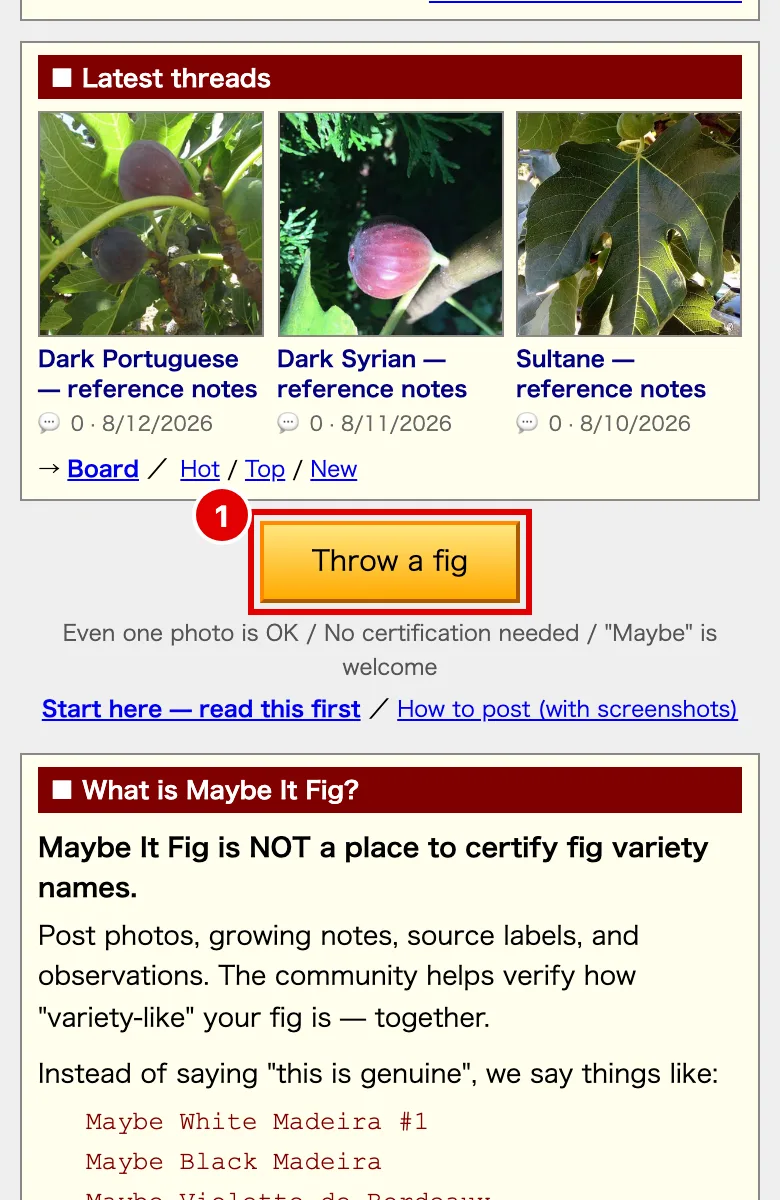
Step 1: Tap "Throw a fig"
Tap the "Throw a fig" button on the home page (or "▶ New thread" on the board) to open the post form. On this board, making a post is called "throwing a fig."
Step 2: Log in
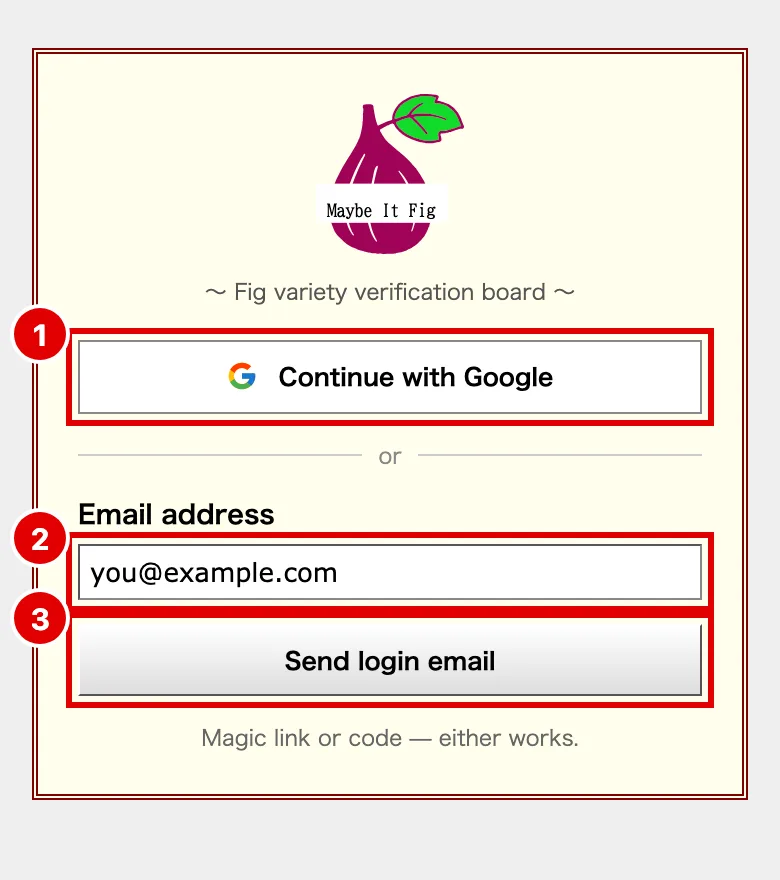
You need to log in to post (you can look at the post form without logging in). On the login screen, choose one of these:
- "Continue with Google" (1): log in with your Google account.
- Enter your email address (2) and tap "Send login email" (3): no password needed. You log in from the email you receive.
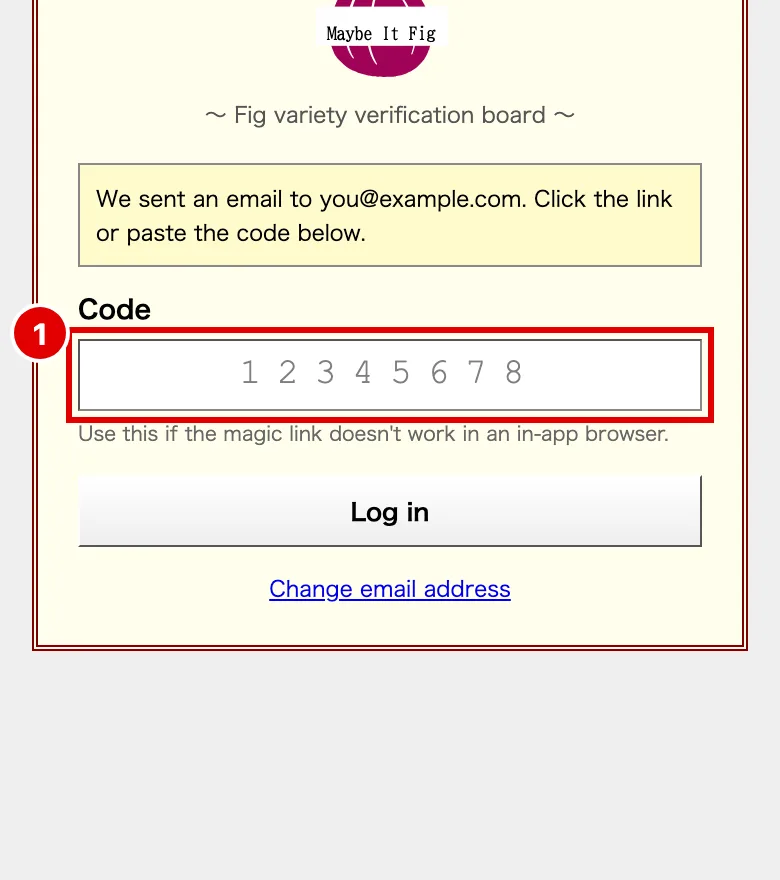
If you chose email, the screen switches to a code field. Either tap the button in the email you received, or type the 8-digit code from the email into this field and tap "Log in".
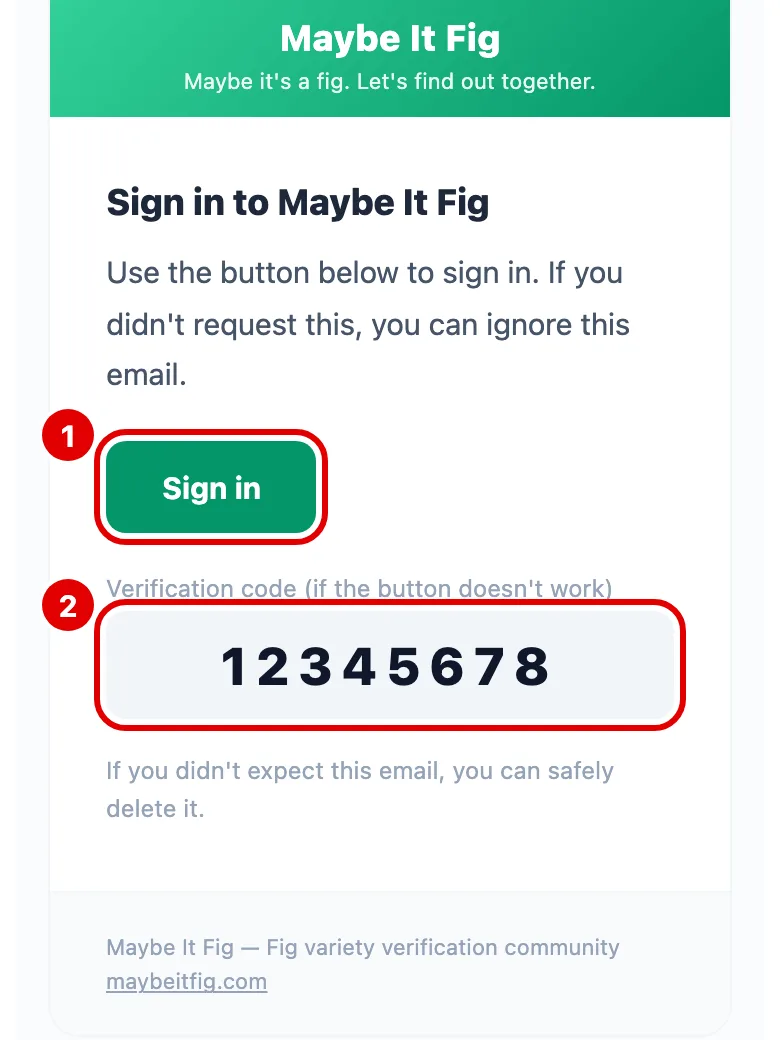
The email contains both a sign-in button (1) and an 8-digit code (2). If the button doesn't open properly, for example inside an app's built-in browser, use the code instead.
Step 3: Choose "What do you need?"
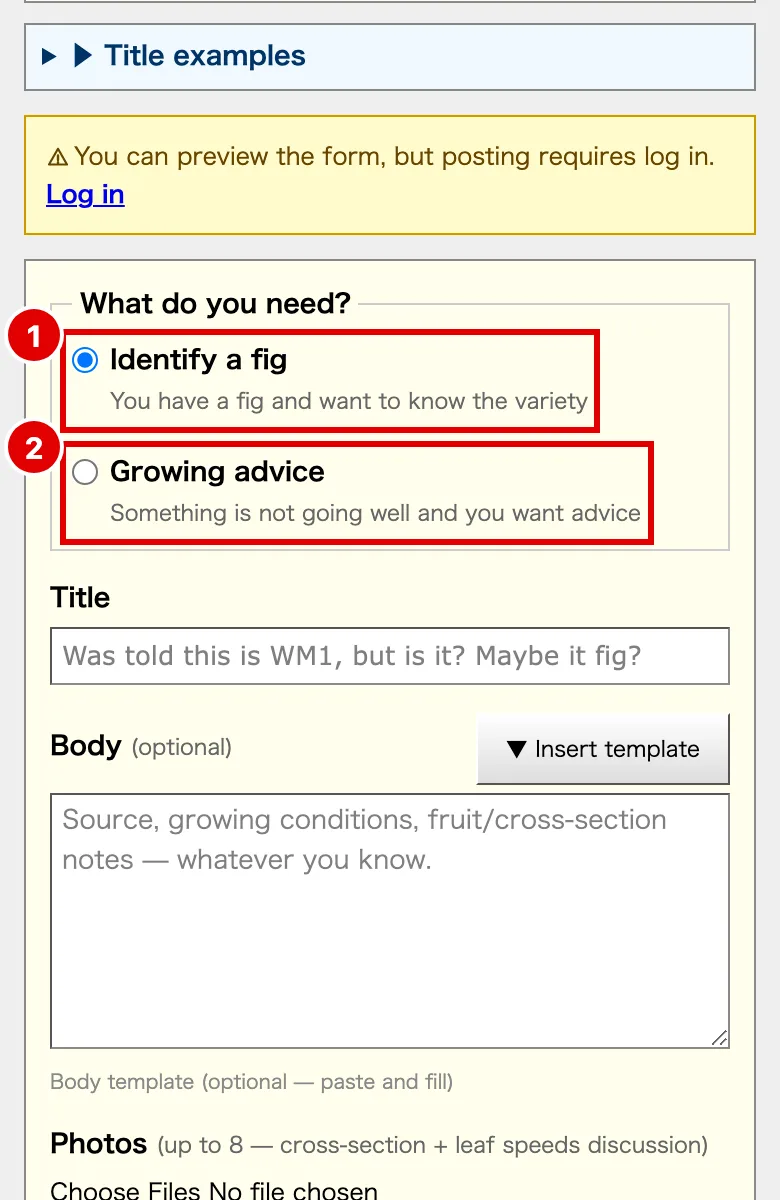
At the top of the post form, choose the kind of question. Pick "Identify a fig" (1) if you want to know the variety, or "Growing advice" (2) for problems like poor growth or no fruit.
Step 4: Write a title
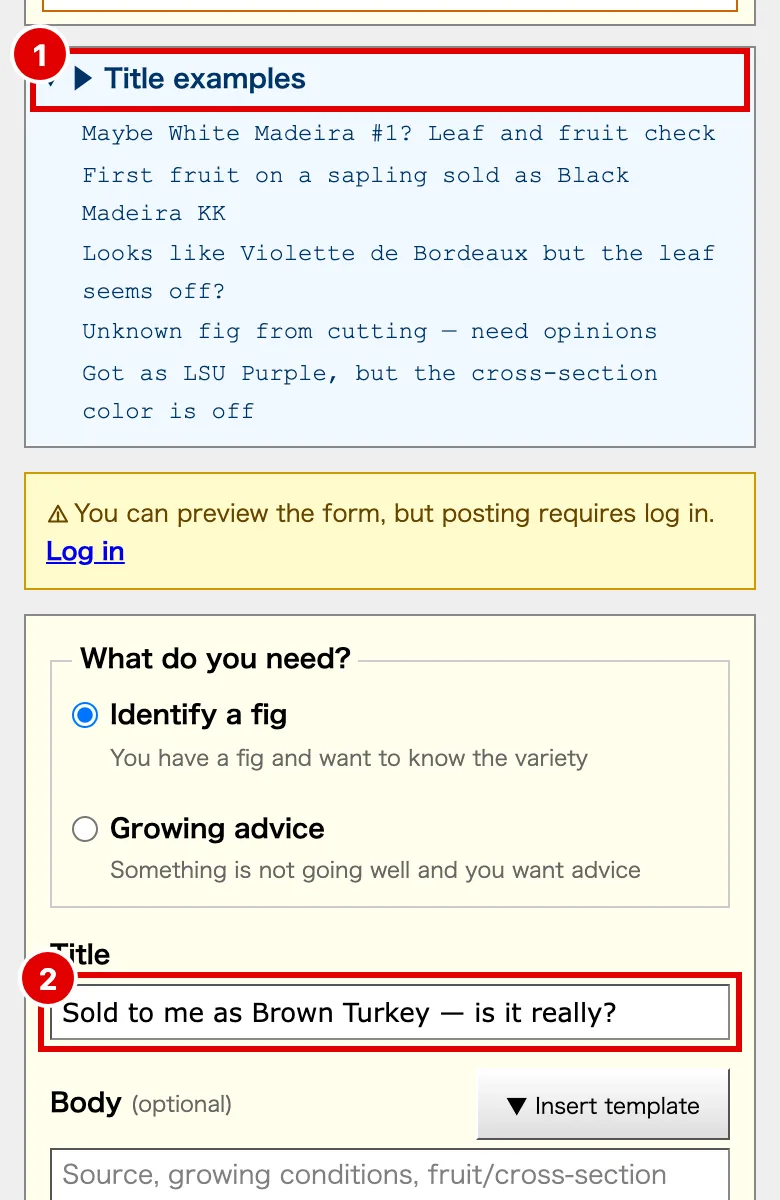
Put the one thing you most want to ask in the title. Open "▶ Title examples" (1) to see how other posts word it, for example:
- Maybe White Madeira #1? Leaf and fruit check
- Looks like Violette de Bordeaux but the leaf seems off?
- Unknown fig from cutting — need opinions
Step 5: Write the body (optional)
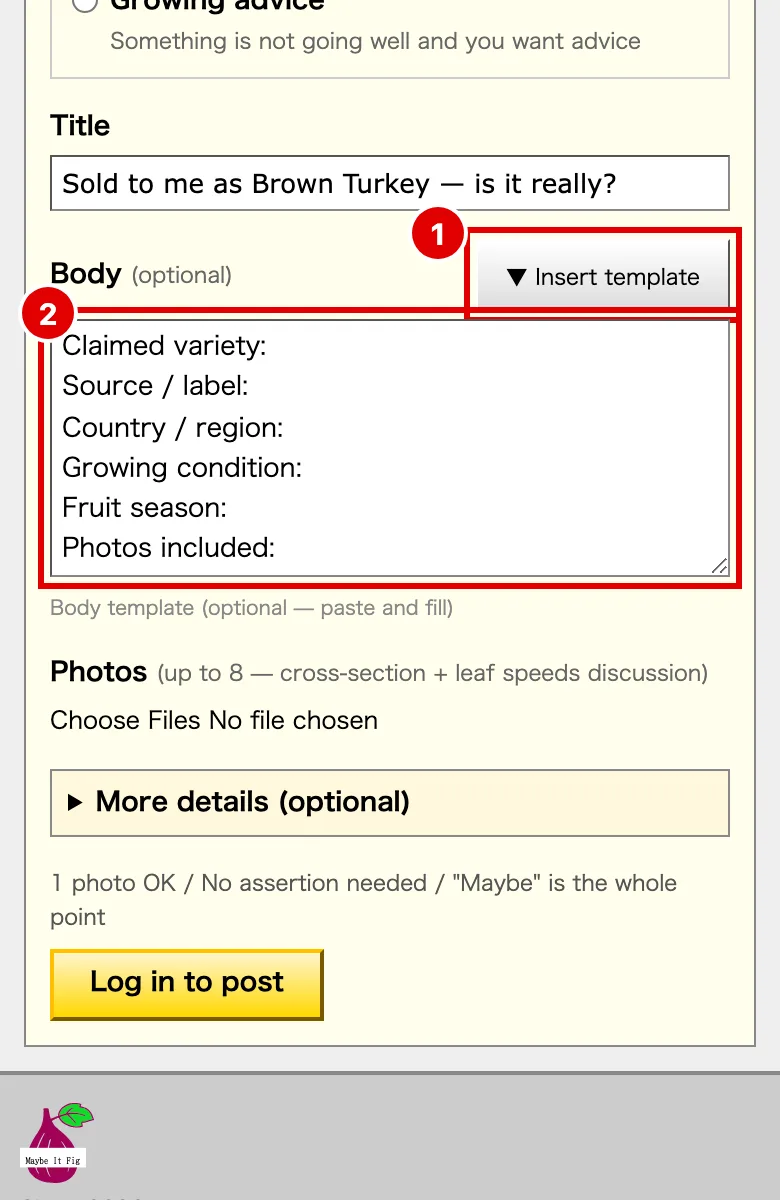
You can post without a body. If you're not sure what to write, tap "Insert template" (1). It fills the body field (2) with items such as the claimed variety, source or label, country and region, growing condition and fruit season. Fill in what you know and delete what you don't.
Step 6: Add photos (up to 8)
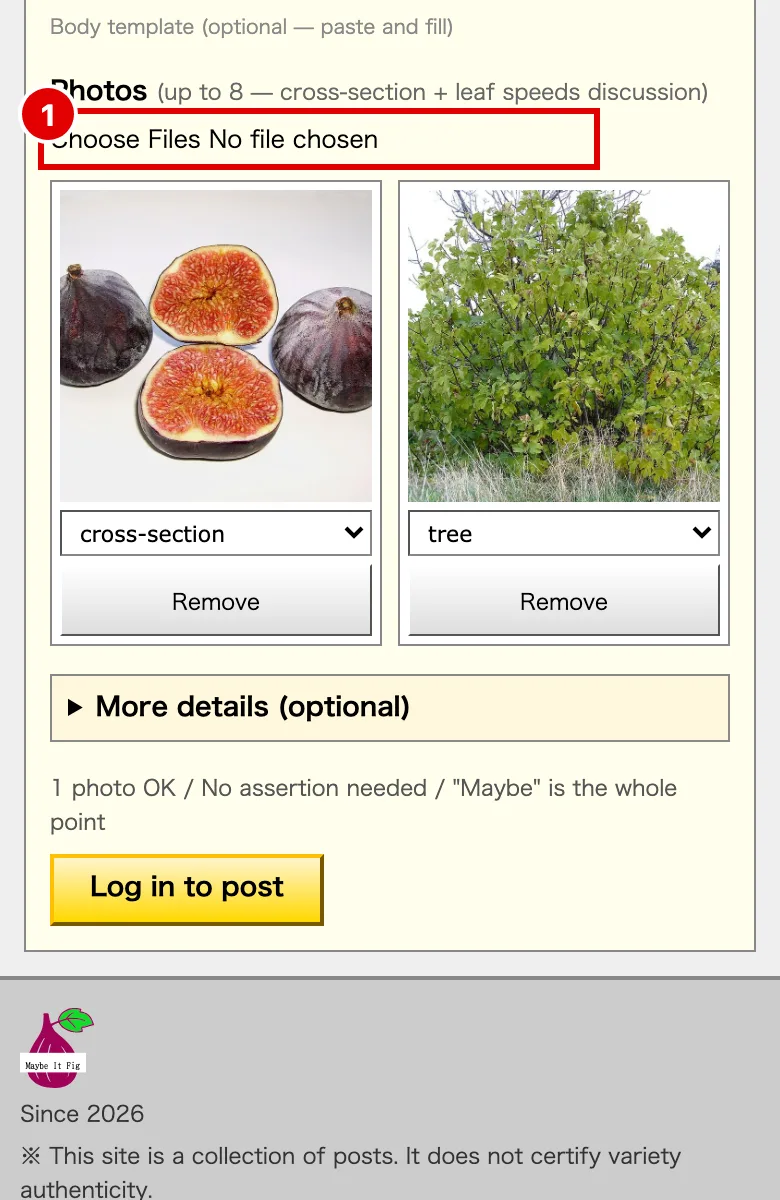
Choose your photos under "Photos" (1). You can attach up to 8 per post. For each photo you can pick what it shows, such as "fruit", "cross-section", "leaf" or "tree", which helps people read it. Fruit, cross-section and leaf together get the conversation going fastest.
About location data in photos
Photos taken on a phone can contain the location where they were taken (EXIF, the shooting information embedded in a photo). On this board, large photos are shrunk on your device to 1600px on the long side and saved again before upload, and that removes the location and other shooting information.
However, photos that are already small and light (1600px or less on the long side, with a small file size) are sent as they are without shrinking, so their location data may remain. If you don't want to reveal where you live, turn off location in your camera before shooting, or remove the location data before posting.
Step 7: Fill in the details (optional)
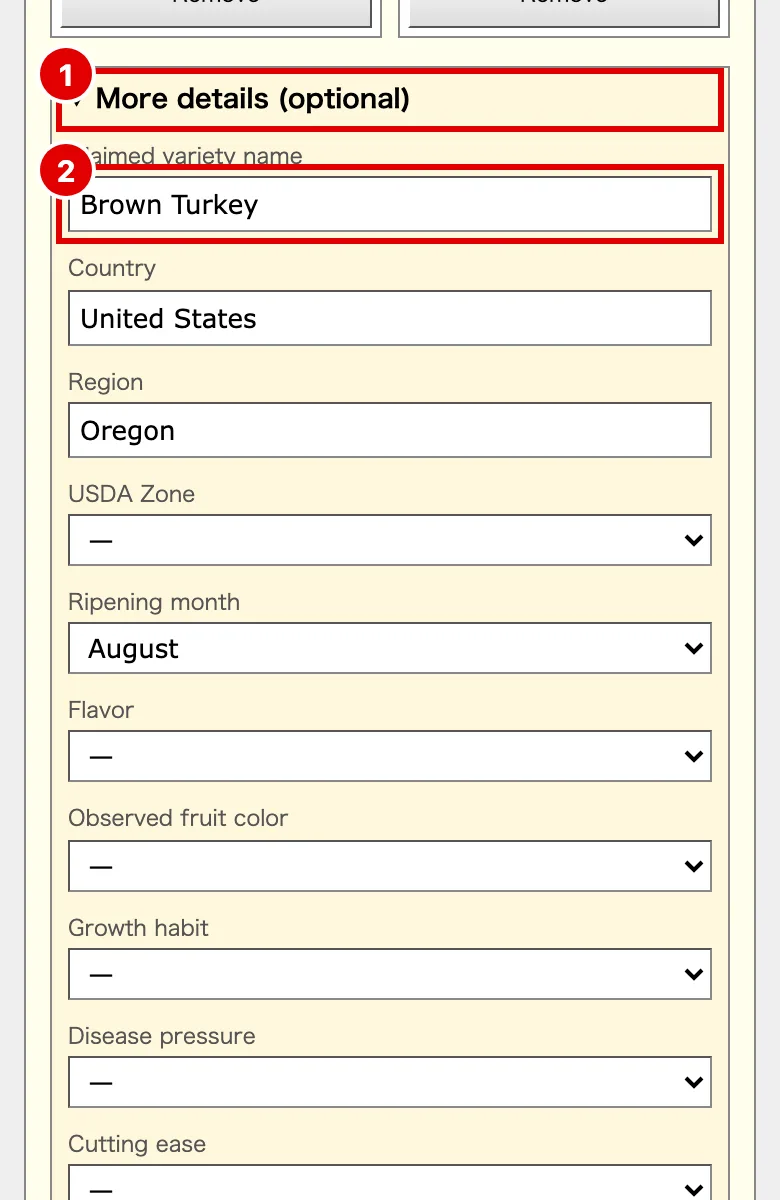
Open "More details (optional)" (1) to enter the claimed variety name (2), country, region, USDA Zone (a regional guide to winter cold), ripening month, flavor, skin color, growth habit and so on. Everything here is optional. Whatever you know is enough, and you can leave it all blank.
For the claimed variety name, write the name on the label or the one you bought it as. Whether it really is that variety is what the thread is for.
Step 8: Post
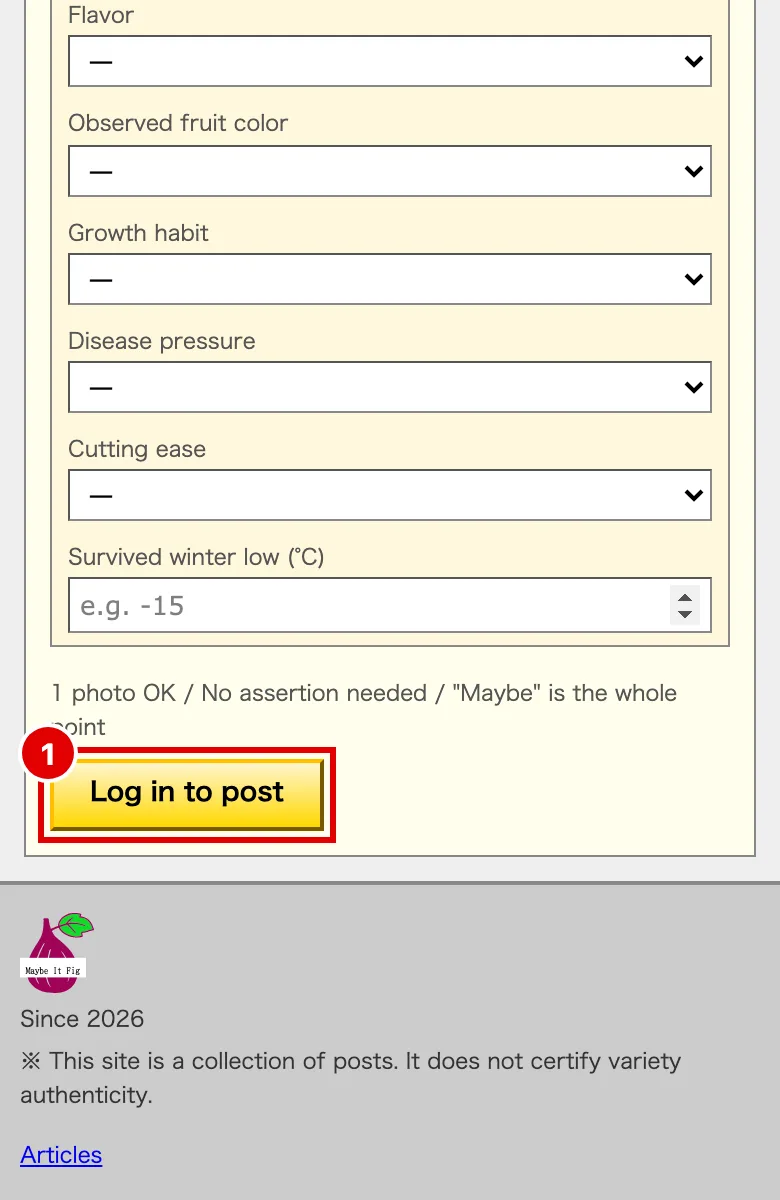
Finally, tap the button at the bottom (1) to post. It says "Post" when you're logged in, and "Log in to post" when you aren't yet.
Step 9: Your thread, and waiting for replies
After posting, you're taken to your thread. Under the title you'll see the status ("Still Maybe" at first) and the number of replies.
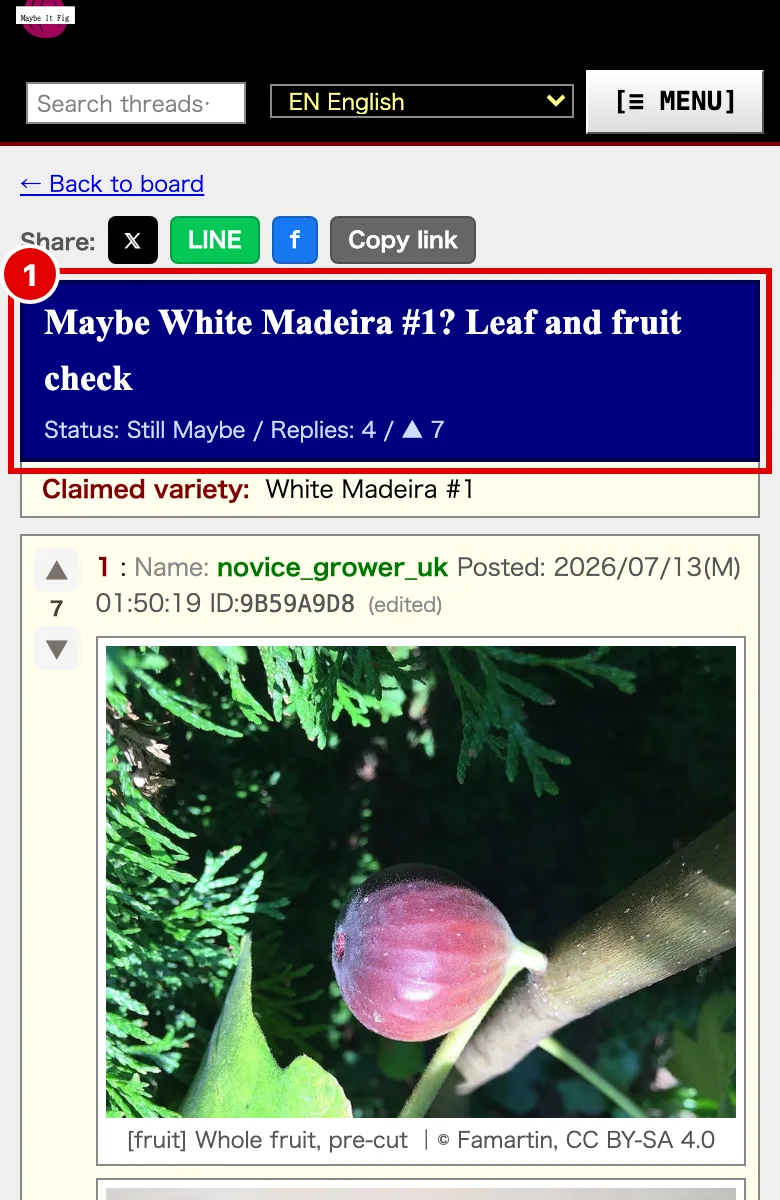
Now you wait for replies. When someone comments, you get a notification on the site (and on your device too, if you've allowed push notifications). Replies don't always come right away, so adding photos or writing up anything new you find out in the meantime helps keep things moving.
Step 10: Using comments
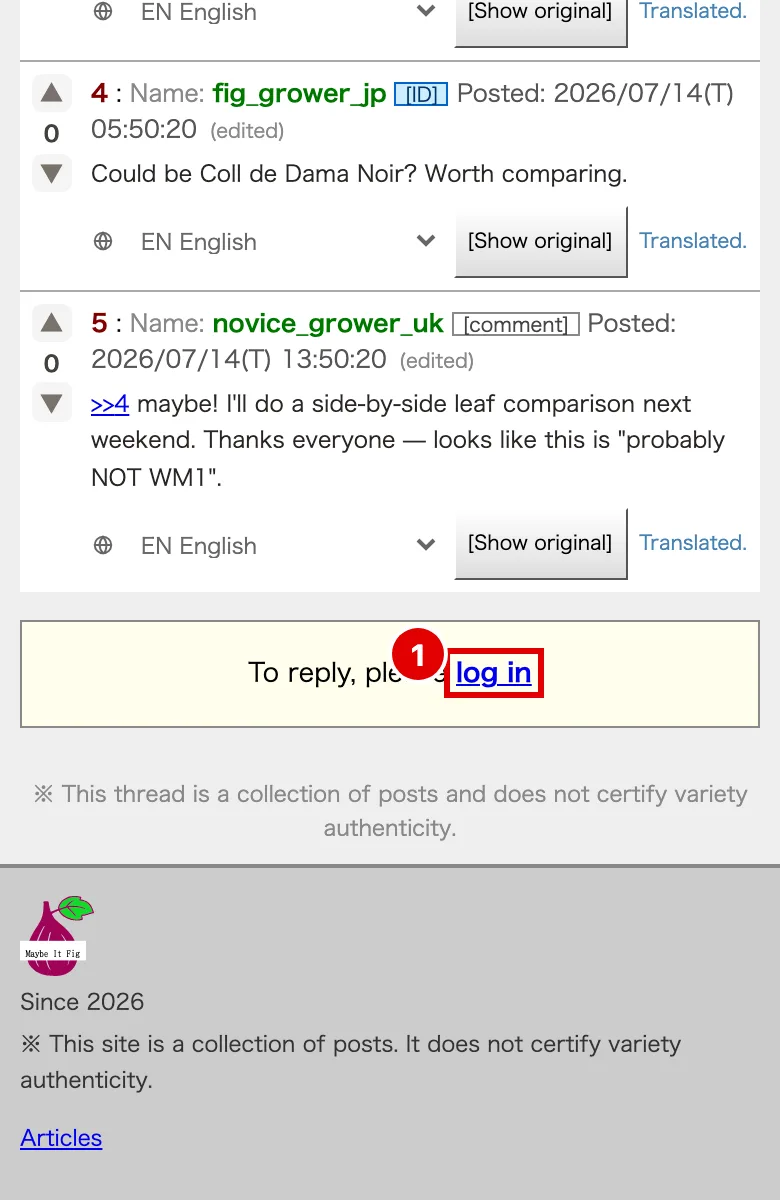
When you get replies, answer them with a comment of your own. The comment box appears once you're logged in.
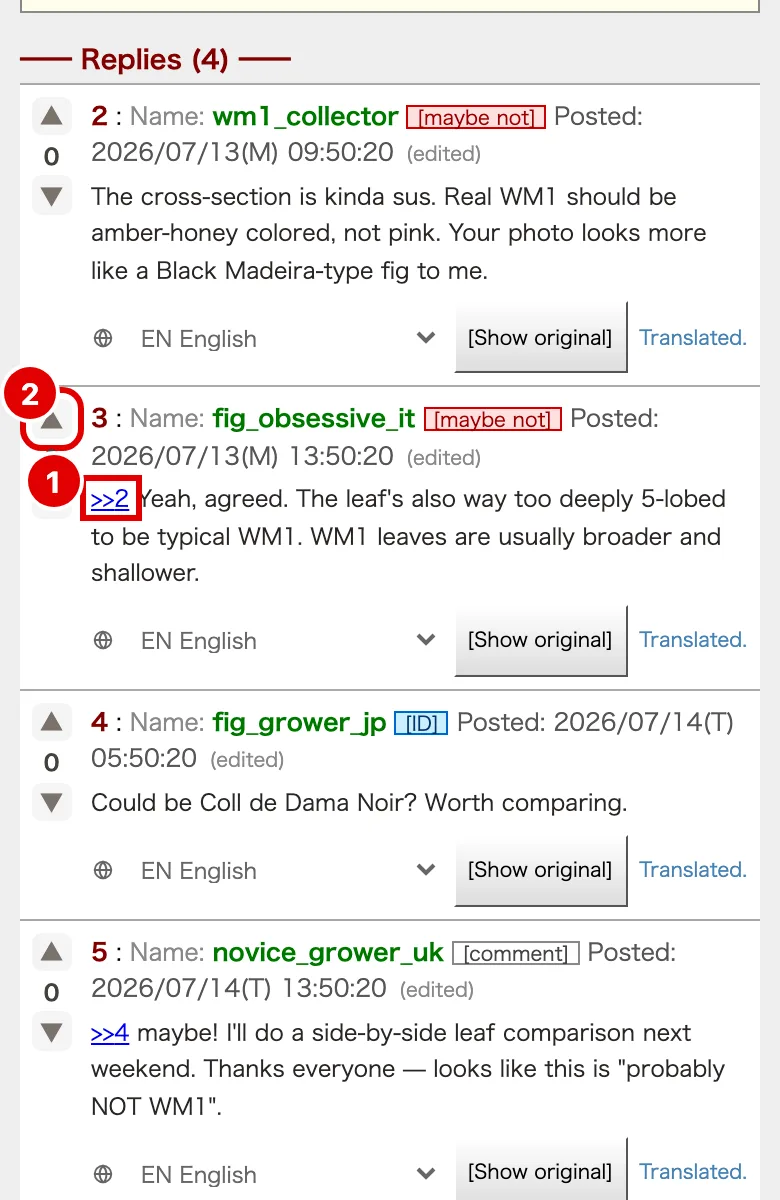
- Writing a reply number like >>3 turns it into a link to that reply (1), so it's clear who you're answering.
- Starting a line with > shows that line as a quote. Use it when you want to answer part of someone's comment.
- ▲ (2) is the upvote button. Press it on comments that helped, or that you agree with.
- You can tag a comment with a type such as "looks figgy", "maybe not" or "need more evidence".
Go ahead and throw your first fig
One photo and a one-line title is enough to start. If you don't know something, just say so. That's where every thread here begins.
Not sure what your fig is?
Post a photo of the leaves and fruit and see what other growers think. "Maybe" is a perfectly good answer here.
Post your figHai un fico da identificare?
Sfoglia l'enciclopedia delle varietà oppure pubblica una foto sulla bacheca e chiedi alla community.